Everyday Care
App Version v4.0.0Item Hibernation
Put items you do not need for now into hibernation: they are tucked away from everyday browsing and the forest map, all their details are kept, search still finds them, and you can wake them at any time.
Updated on Nov 3, 2026 ~16 min read
On this page
Hibernation tucks away things you do not need for now but are still keeping at home: a down jacket out of season, a camping tent you use once a year, a gift you cannot part with but do not use yet. Hibernating items do not show up in everyday browsing, nothing about them is lost, and when you need one, wake it and it is back.
What happens when an item hibernates
- It is hidden in Items by default: it is not counted in the list or in the item counts on category tabs.
- It is not on the forest map, and it is not counted in the item counts of groves and places.
- Search still finds it: type its name in the search bar in Items, and hibernating items appear in the results too, with a “Hibernating” label on the card.
- All its details are kept: photos, place, tags, notes and attachments stay the same, and you can still edit them. The item’s tree rings record “Entered Hibernation (Sealed)”, and when you wake it, “Woken from Hibernation (Active)”.
- It stays in its baskets: an item already in a basket stays in that basket after it hibernates.
Hibernation does not stop expiry reminders. A hibernating item with an expiry date still falls into Leaf Gathering when it is close to expiring, and you still get a letter.
Put an item into hibernation
There are three places to do it:
| From | How |
|---|---|
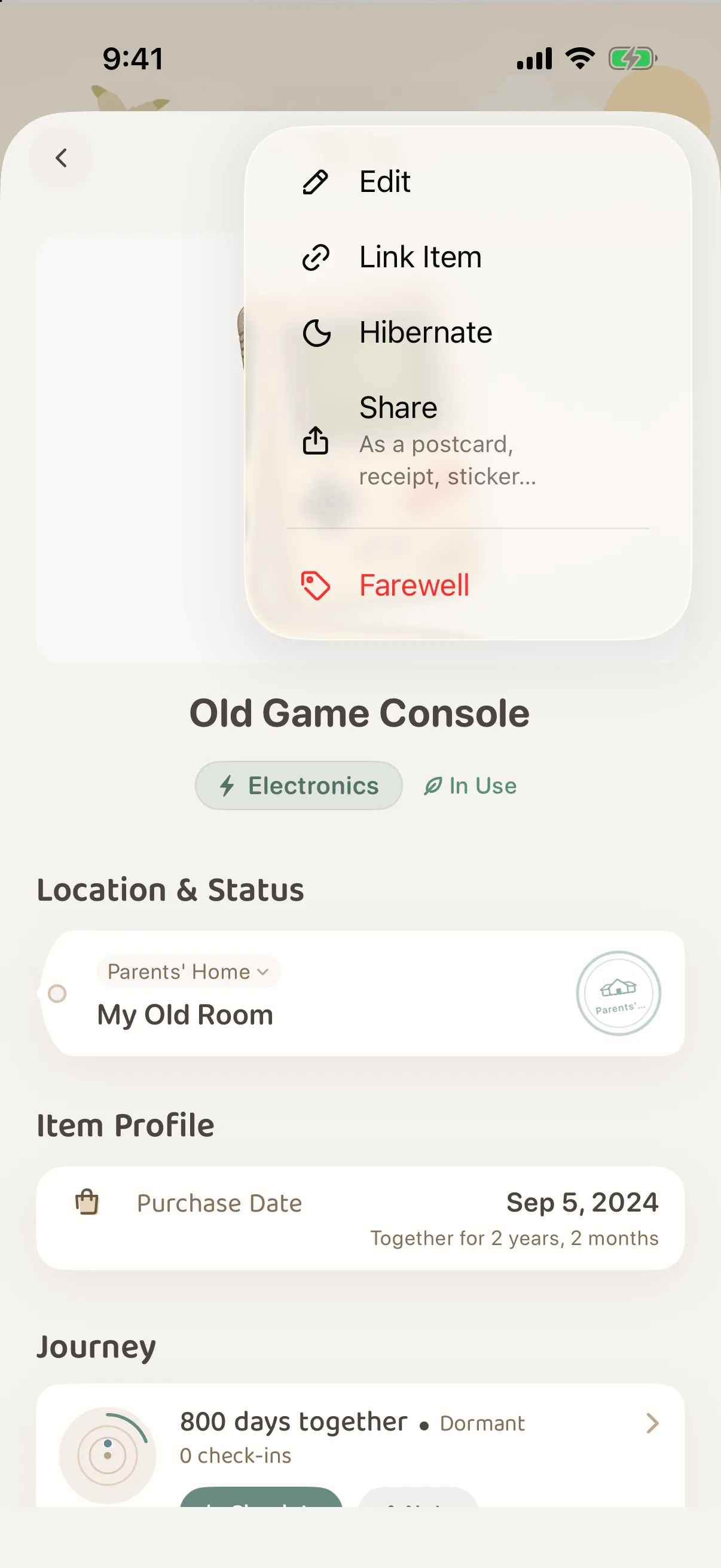
| The item page | Tap ··· at the top right and choose Hibernate |
| The list in Items | Touch and hold an item and choose Hibernate from the menu |
| Several at once | Select items in Items, then tap Hibernate in the tidy-up tools at the bottom |
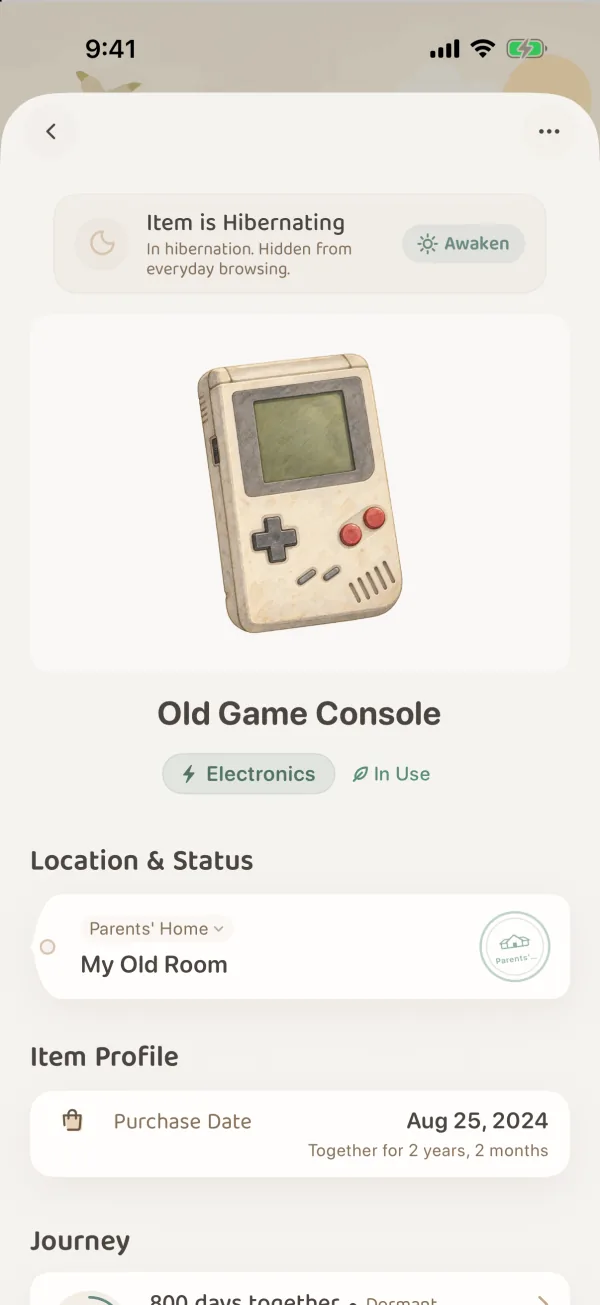
Once it is hibernating, a banner appears at the top of the item page: “Item is Hibernating · In hibernation. Hidden from everyday browsing.”
Find hibernating items
If you remember the name, just type it in the search bar in Items. Hibernating items appear along with the others, labeled “Hibernating”.
To look through everything that is hibernating, use Filter:
- In Items, tap Filter.
- Jump to State, find Hibernation, and choose one:
- Active Items (the default): hibernating items are not shown.
- All Items: items in use and hibernating items are shown together.
- Hibernating Items: only hibernating items are shown.
- Tap Show N at the bottom.
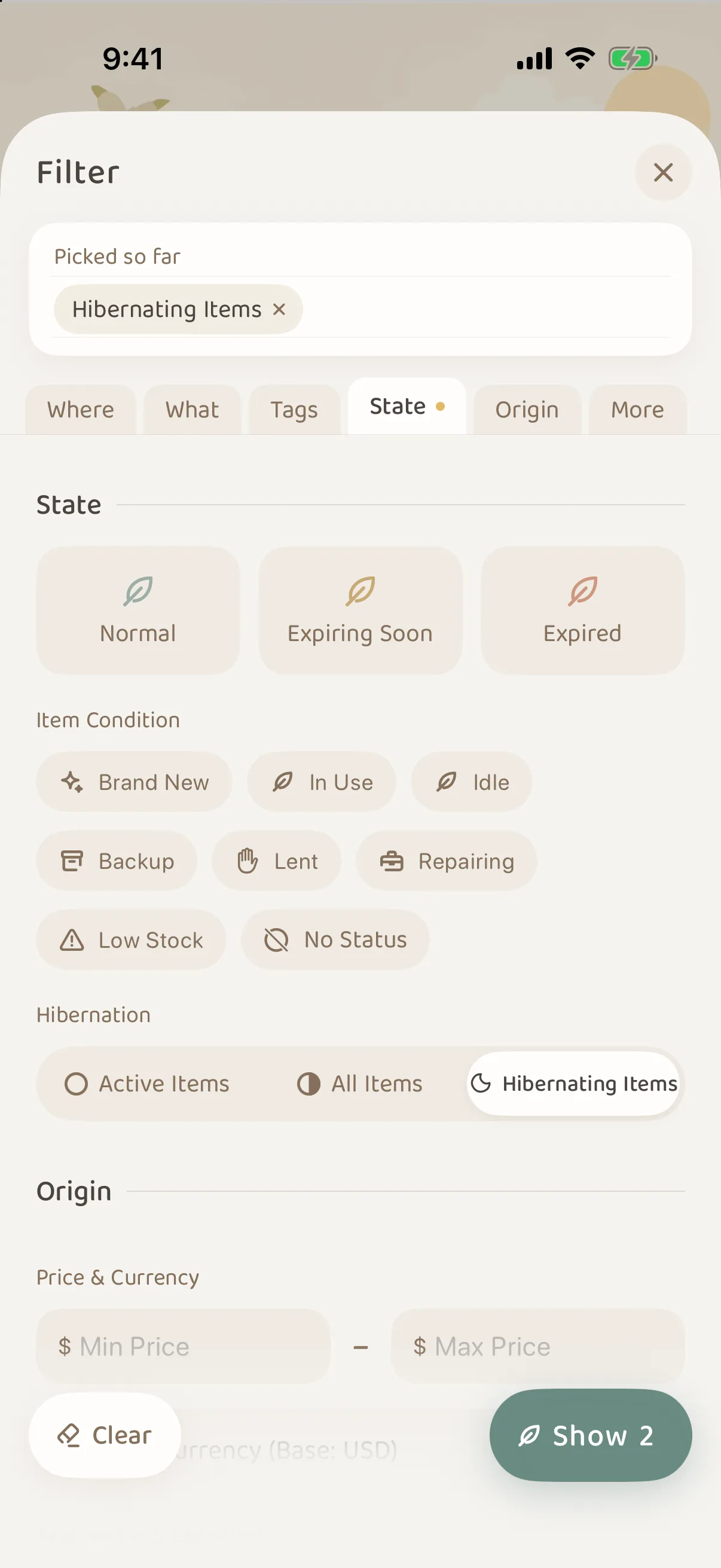
When you are done, go back to Filter and set Hibernation back to Active Items, and the hibernating items are tucked away again. For more on Filter, see Items: Filter, Arrange & Marks.
Wake it up
Open the hibernating item and tap Awaken on the right of the banner at the top, or choose Wake Up from ···. The item comes straight back to everyday browsing and the forest map.
In Items, touch and hold a hibernating item, and the menu has Wake Up too. When every item you have selected is hibernating, the button in the tidy-up tools changes to Wake Up, and wakes them all at once.
Hibernation and Connected Items
Connections with a hibernating item are not broken. On another item’s Connected Items card, hibernating items are listed below a “Hibernating” divider, and the number of hibernating items is shown next to the title. Touch and hold one of them to Wake Up right there.
Hibernating items do not appear in the picker for Link Item, or in a basket’s Add Items picker. To link one from another item, or add it to a basket, wake it first. For how connections work, see Item & Basket Connections.
Find things that could hibernate
The Resting part of Forest Insights lists items whose details have not changed in a year, grouped by where they are kept. Open it to choose Still in use, Hibernate or Farewell for each one, or choose Hibernate all N to tuck away everything in one place.
Good candidates for hibernation:
- Seasonal clothes and appliances: a down jacket or heater in summer, a cooling mat or small fan in winter.
- Gear you rarely use: a tent, skis, a large suitcase.
- Things you have not decided to keep: let them hibernate for a few months. If you never think of them, consider a farewell.
- Things lent out or in for repair: it is better to mark them with a usage status such as “Lent” or “Repairing”. They stay in everyday browsing, and you change the status back when they return. See Status Management & Ratings. If you would rather not see them in everyday browsing, you can let them hibernate too.
Common questions
How is hibernation different from a farewell?
A hibernating thing is still with you, just tucked away for now, and you can wake it at any time. A farewell means the thing has left your life (given away, sold, worn out), and it goes to the Memory Forest. See Farewell and the Recycle Bin.
How is hibernation different from the “Idle” usage status?
“Idle” is only a label on the item. The item still shows up in Items and on the map as usual. Hibernation tucks it away from everyday browsing and the map.
Can items in a shared grove hibernate?
Yes. If you have the Can tend role in that grove, or you are its keeper, you can put its items into hibernation or wake them. Hibernation belongs to the item itself, so your companions also see that it is hibernating.