Getting Started
Updated for v4.1.0Explore the Forest
Explore the Forest is MononoMori's built-in feature guide: open it from the bookmark ribbon at the top of More, see what each feature can do for you and where to find it, and try one that is useful right now.
Updated on Nov 15, 2026 ~8 min read
On this page
Quite a few of MononoMori’s features are not in plain sight, such as basket checklists, managing by lots and Zen browsing. Explore the Forest lists them in one place, grouped by purpose: each one says what it can do for you, where to find it and how to get started. You do not need to read it all at once. Just pick one that is useful right now.
Open Explore the Forest
- Tap More at the bottom.
- At the top is your forest card. A bookmark ribbon hangs from the left side of the card’s bottom edge.
- Tap the ribbon to open Explore the Forest. When you are done, tap Done at the top right.
Sometimes the ribbon has something to tell you:
- A new stamp: your newest stamp is pressed onto the end of the ribbon.
- A letter about a new version: the corner of an envelope peeks out under the cover. Tap the ribbon to open the letter first.
Once you have seen them, these hints go away.
What is on the page
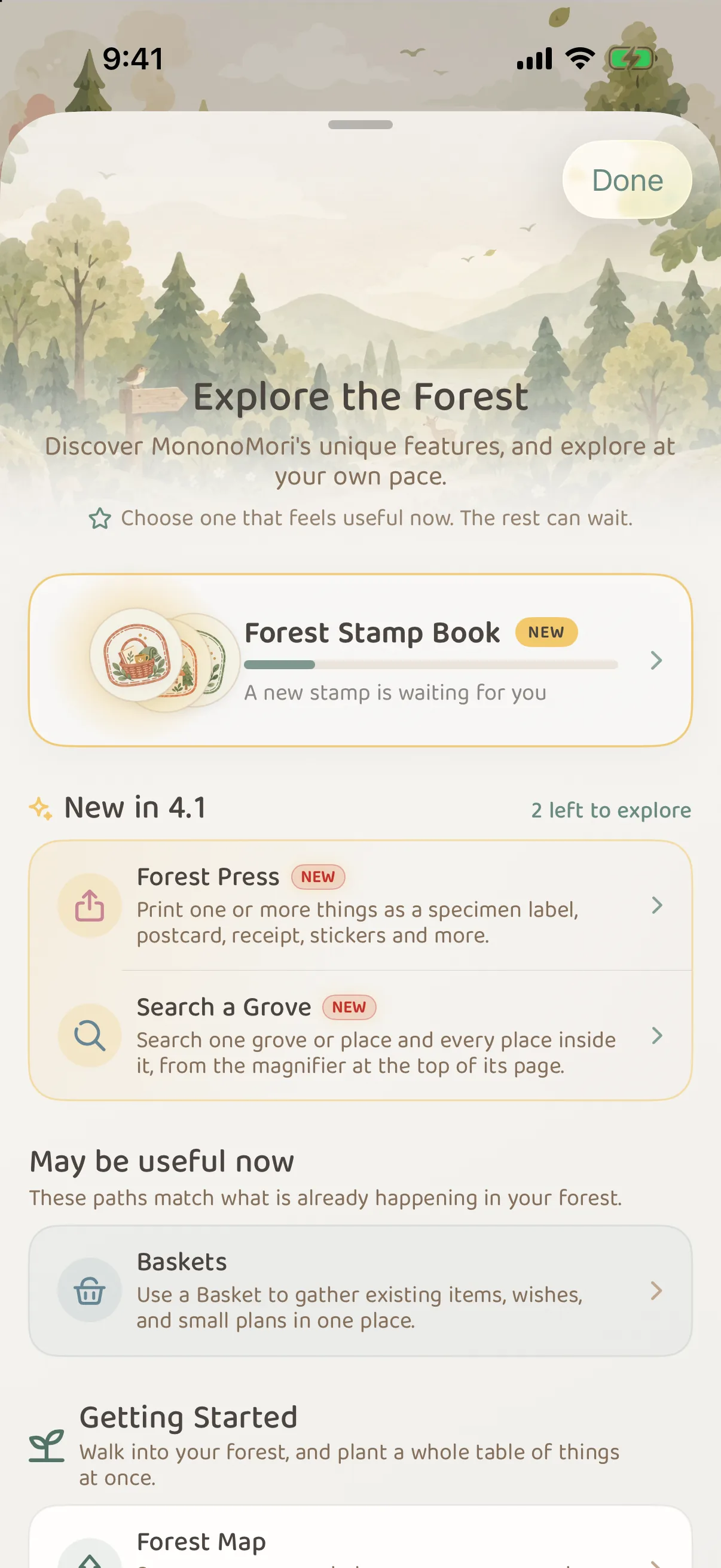
From top to bottom:
- Forest Stamp Book: shows how many stamps you have collected. Tap it to open the Forest Stamp Book.
- What is new: after an update, the features added in this version, with “N left to explore”. New in 4.1 are the Forest Press and Search a Grove.
- May be useful now: a few suggestions based on what is happening in your forest.
- Every feature, grouped by purpose: such as Getting Started, Organize the Forest and Memories & Sharing.
Tap any feature to open About This Discovery: why it may help, when it fits, where to find it and a simple way to start. The main button at the bottom takes you to use the feature. If the feature needs something first (for example, at least one item), the button walks you through that step first.
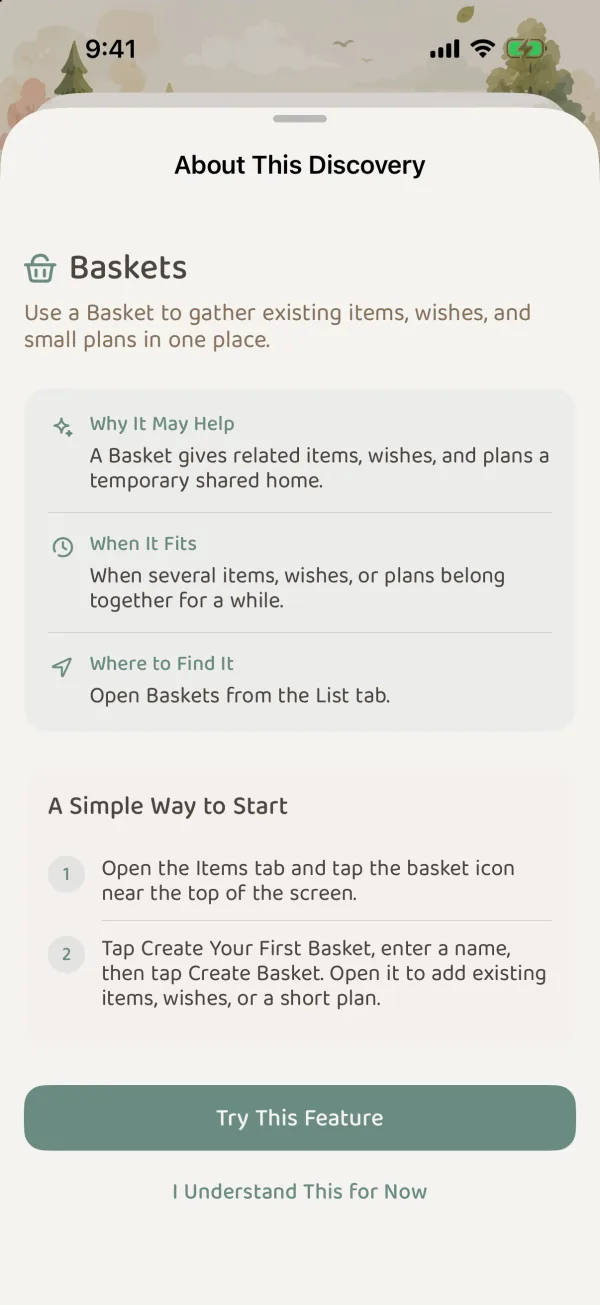
The small mark to the right of each feature shows whether you have seen it, used it or skipped it. It only helps you keep track; you do not need to light them all up. If you do not want to see a feature again, touch and hold it and choose Don’t show this discovery again.
Common questions
Do I have to try every feature?
No. The marks only help you remember which ones you have seen. There is nothing you have to finish.
How do I find out what a new version added?
After an update, the new features for that version appear near the top of Explore the Forest, with how many are left to explore. For the full notes on every version, see the changelog.