Groves & Forest Map
App Version v4.0.0Lenses on the Map
Use the binoculars on the forest map to look at it another way: Leaves shows what is about to expire, New shows what arrived in the last 30 days, and Resting shows what has not been touched in over a year.
Updated on Nov 3, 2026 ~14 min read
On this page
The forest map usually shows All: every grove and every tree in its place. The binoculars at the bottom right give you another way to look, so the things that need you stand out on the map without a search.
The binoculars have four views:
| View | What stands out on the map |
|---|---|
| All | The usual map, with nothing highlighted |
| Leaves | Things about to expire, expiring today or already expired |
| New | Things added in the last 30 days |
| Resting | Things not changed for over a year |
If you are new to the forest map, read Forest Map first.
Opening the binoculars
- Walk into the forest map: in Forest, pull down on the list of groves, or tap Forest at the bottom again.
- Tap the binoculars at the bottom right. Above them is the magnifying glass (Find in the Forest).
- A small card lists All, Leaves, New and Resting, each with how many things it covers. Tap one to switch to it.
- To go back to the usual map, choose All, or tap the view you are using again.
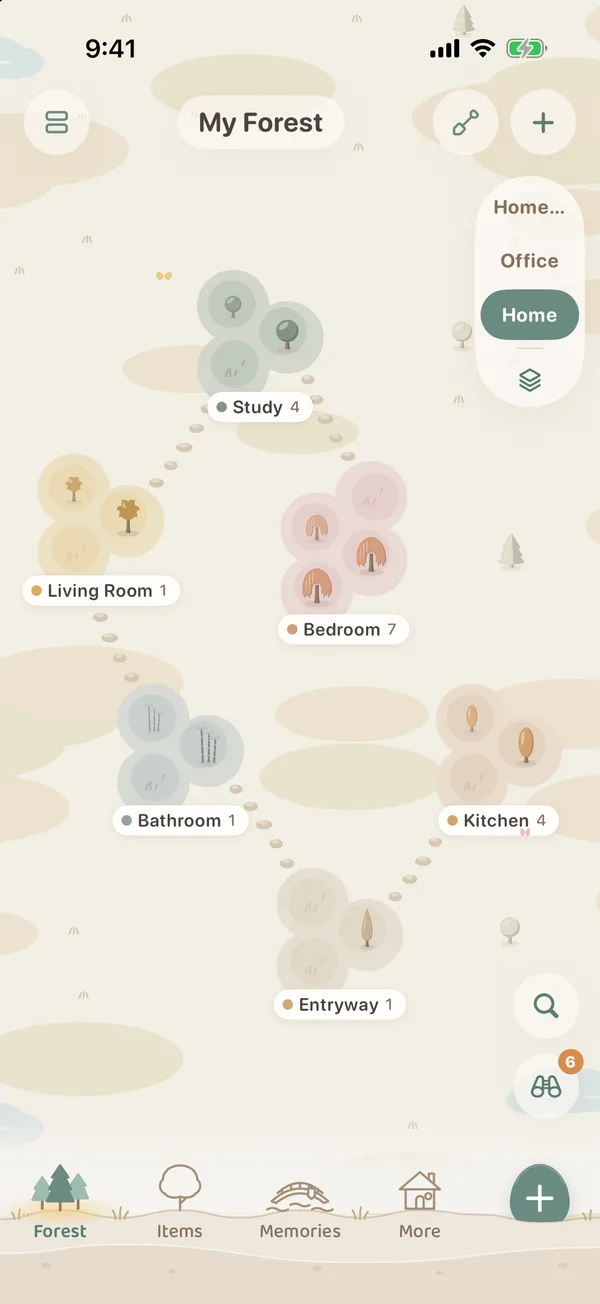
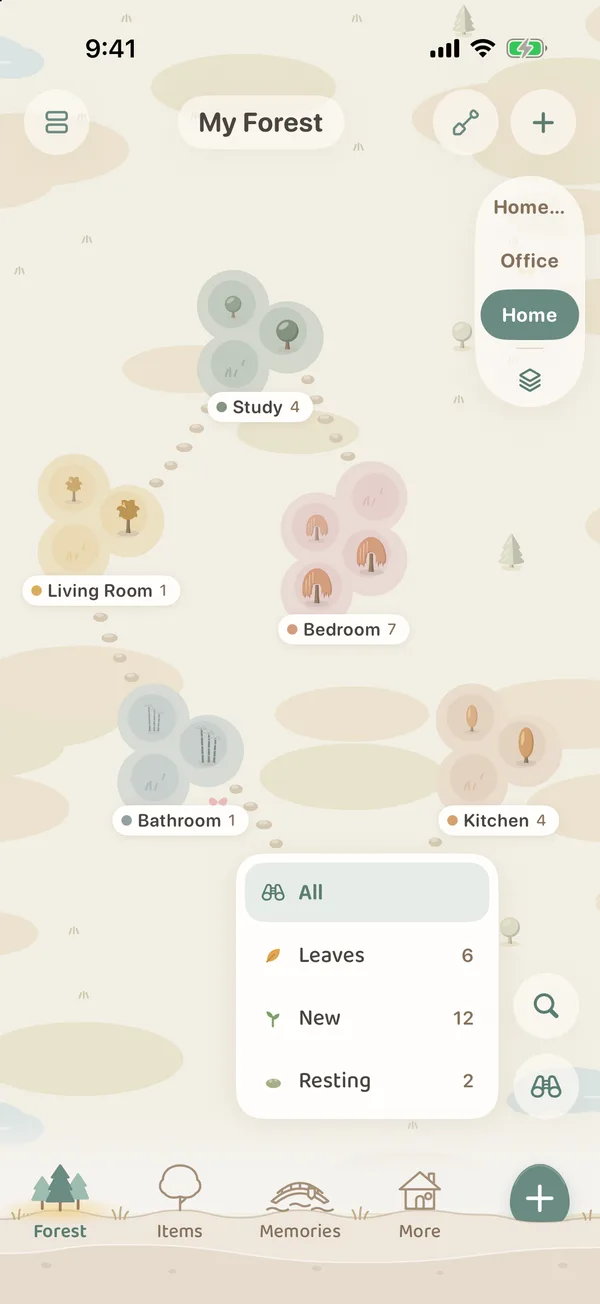
In All, the small number on the corner of the binoculars is how many leaves are falling right now. When a number shows up, it is worth a look at Leaves.
What changes on the map when you switch views
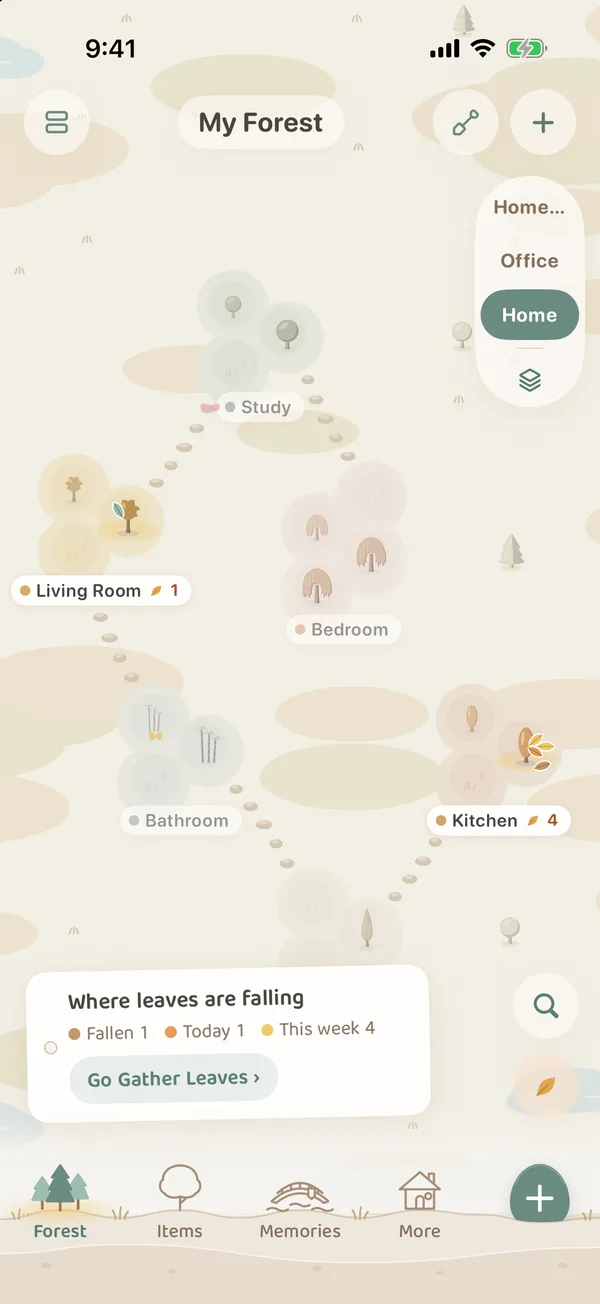
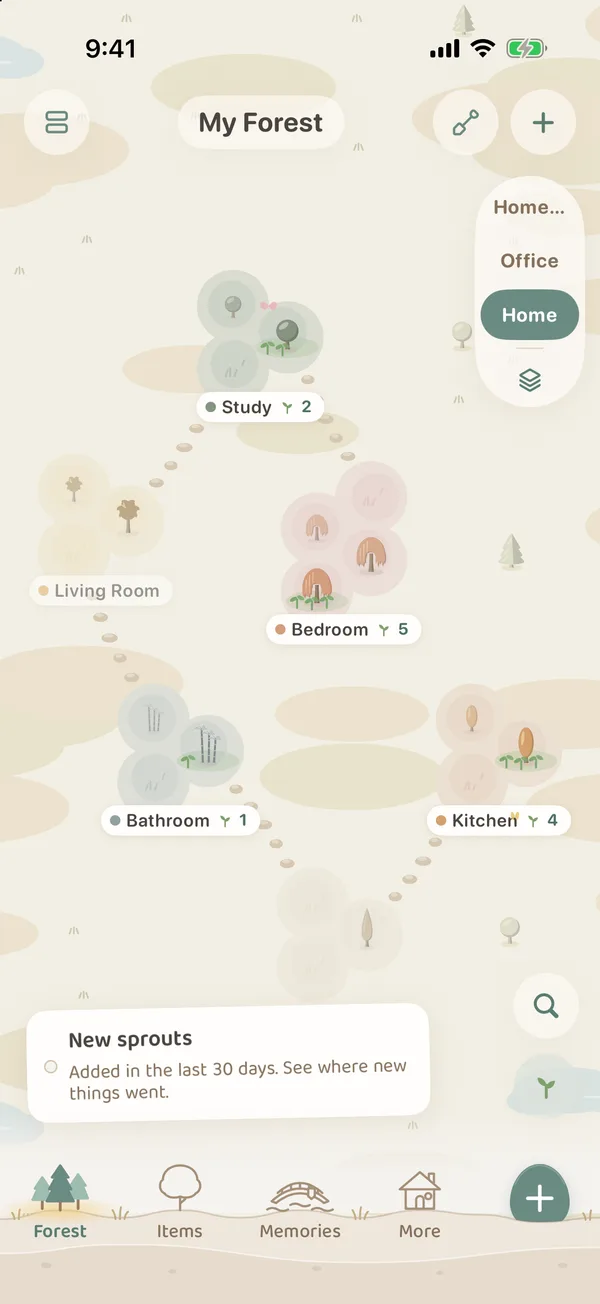
- Groves with nothing that matches fade back, and the ones that do stay in front.
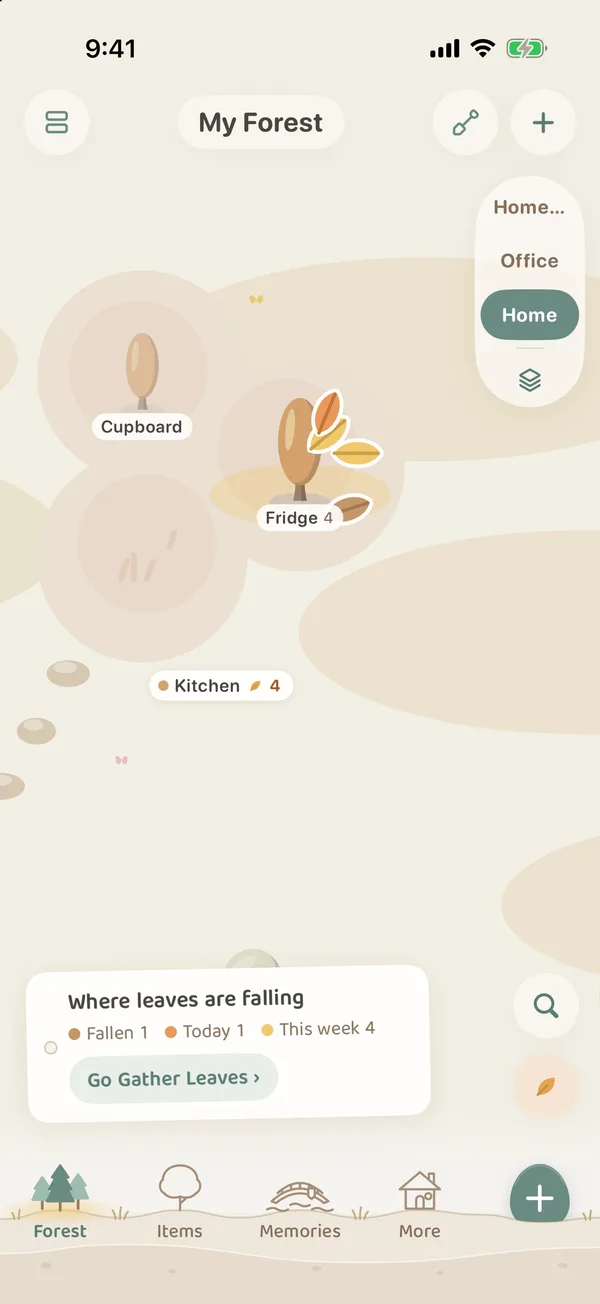
- Trees with matches get a ring of color at their foot and a mark: for Leaves, leaves on the tree and on the ground (the one falling today drifts down); for New, a few seedlings; for Resting, a patch of moss.
- A small paper slip hangs at the bottom left, saying what this view is looking at.
- Tap a grove, and the card below shows this view’s number for each tree, such as “New lately: 3” or “Resting for a year: 2”, or the date of the first thing to expire.
Leaves: things about to expire
The Leaves view shows the same things as Leaf Gathering, so the numbers on the map match Leaf Gathering.
The slip says “Where leaves are falling”, with three colors below it:
- Fallen: already past the expiry date.
- Today: expiring today.
- This week: expiring within the week.
Go Gather Leaves › on the slip opens Leaf Gathering, where you can renew things, leave them for tomorrow, or let them go once they are used up. When nothing is about to expire, the slip says “No falling leaves right now”.
For how to use Leaf Gathering and expiry letters, see Leaf Gathering and Expiry Letters.
New: what arrived in the last 30 days
New marks things added in the last 30 days. The slip says “Added in the last 30 days. See where new things went.”
It is handy after a big tidy-up or a shopping trip: check that new things were planted on the right trees and not all piled in one spot.
Resting: untouched for over a year
Resting marks things not changed for over a year (things added in the last 30 days do not count). The slip says “Not changed for over a year. Maybe time to tidy up.”
“Not changed” goes by when the item’s record was last edited. As soon as you edit it, for example its place, quantity or note, it no longer counts as resting.
When a tree has moss, go and have a look at those things: update the ones you still use while you are there, let the ones you will not need for a while hibernate, and say a proper farewell to the ones you really no longer need.
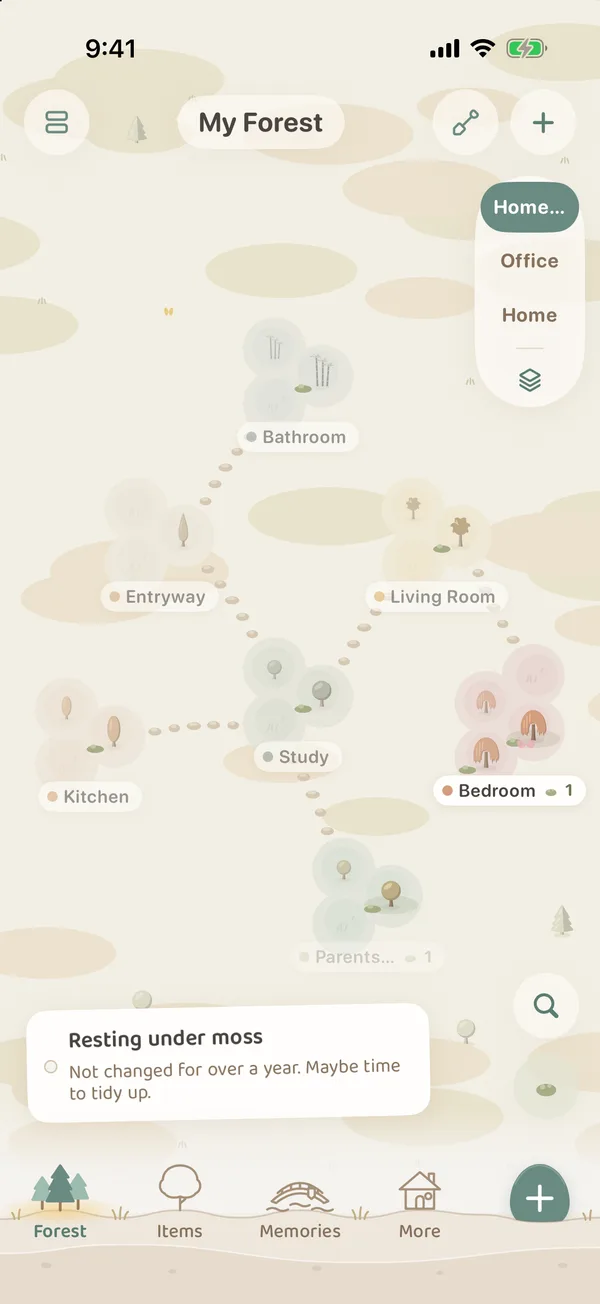
The Resting list in Forest Insights shows these same things, with the same count as the map, and you can deal with them one by one there.
FAQ
Why are the numbers on the map not what I expected?
The map only counts things in use in your forest. Hibernating items are not included. Resting goes by the day the record was last changed, not the last day you picked the thing up. If you used it without changing its record, it can still count as resting.
Do shared groves show up too?
Yes. Shared groves you can see are on the map too, and the binoculars mark matching things in them the same way. For how shared groves work, see Shared Groves: Inviting Companions.
Does switching views change anything?
No. The binoculars only change how the map looks. They never change any item, place or expiry date.