Item Deletion & Farewell Ceremony
Master MononoMori's dual-track disposal and Farewell Ceremony. Separate effortless trash cleanup from solemn goodbyes, record touching companion stories, and gently dissolve separation anxiety.
Page Overview
Distinguish quick disposal from solemn farewells, giving retired belongings a graceful exit
“Letting go is not abandonment; it is expressing our deepest gratitude to objects that faithfully served our journey. Every mindful farewell grants our present life room to breathe.”
When decluttering and organizing everyday spaces, we often hit emotional resistance:
- A worn-out winter coat worn for years, an empty lipstick tube, or an old thermos from college exam days—even when physically degraded or exhausted, tossing them into the trash can sparks guilt and hesitation;
- A thoughtful gift from a friend that doesn’t fit your personal style, gathering dust because parting with it feels like rejecting the affection behind it;
- In reality, what we struggle to discard is rarely the fabric or plastic itself, but the memories, emotions, and chapters of life intertwined with it.
Forcing ourselves into cold minimalism induces separation anxiety and emotional remorse; yet letting exhausted belongings pile up slowly suffocates our living rooms and minds.
MononoMori establishes a grounded mindset: “Physical space belongs to the present; emotional space belongs to memories.” Through clear dual-track sorting and a warm Farewell Ceremony, belongings exit with dignity while stories remain forever preserved.
🍃 Dual-Track System: Trash Cleanup vs. Solemn Farewell
When you prepare to part with an item, MononoMori never confronts you with a single, blunt “Delete” button. Instead, it offers two thoughtful pathways:
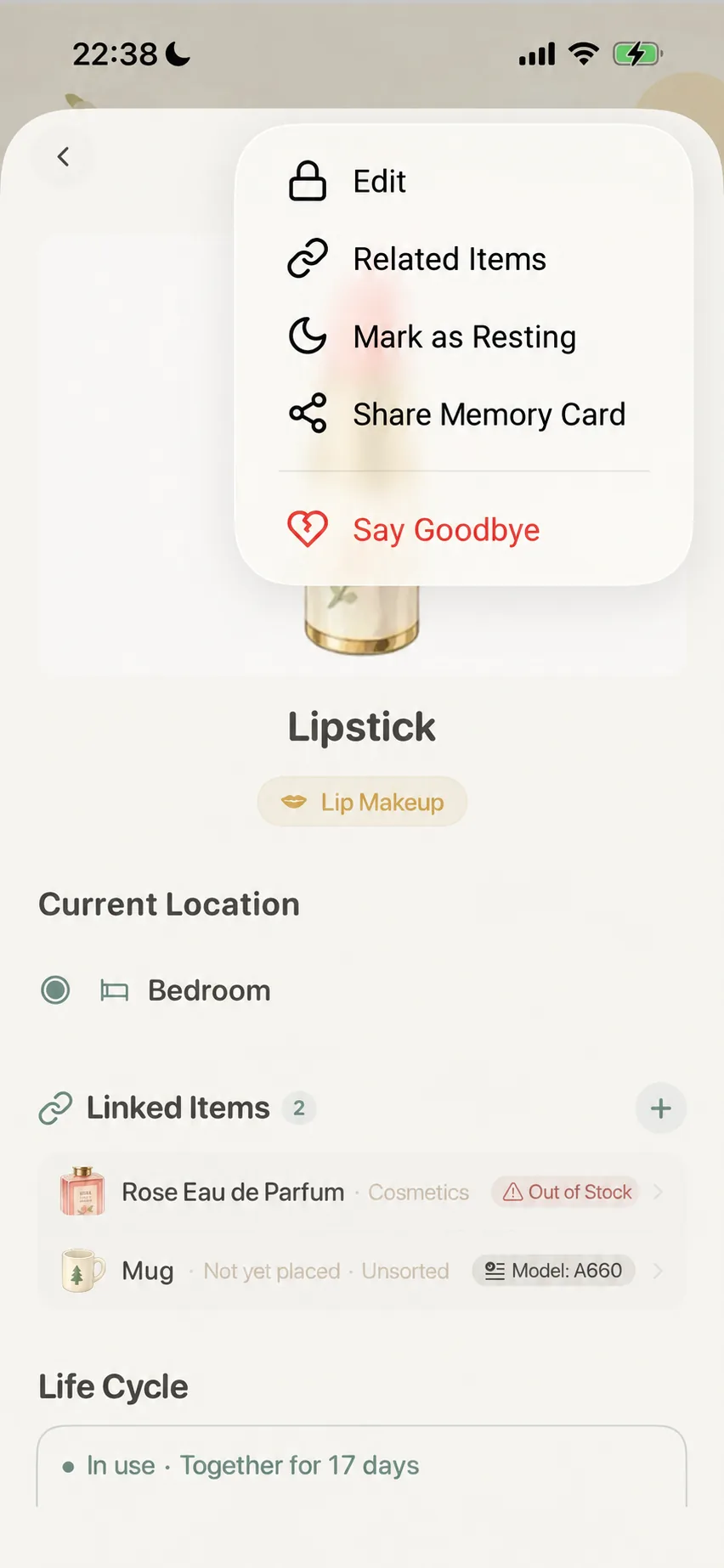
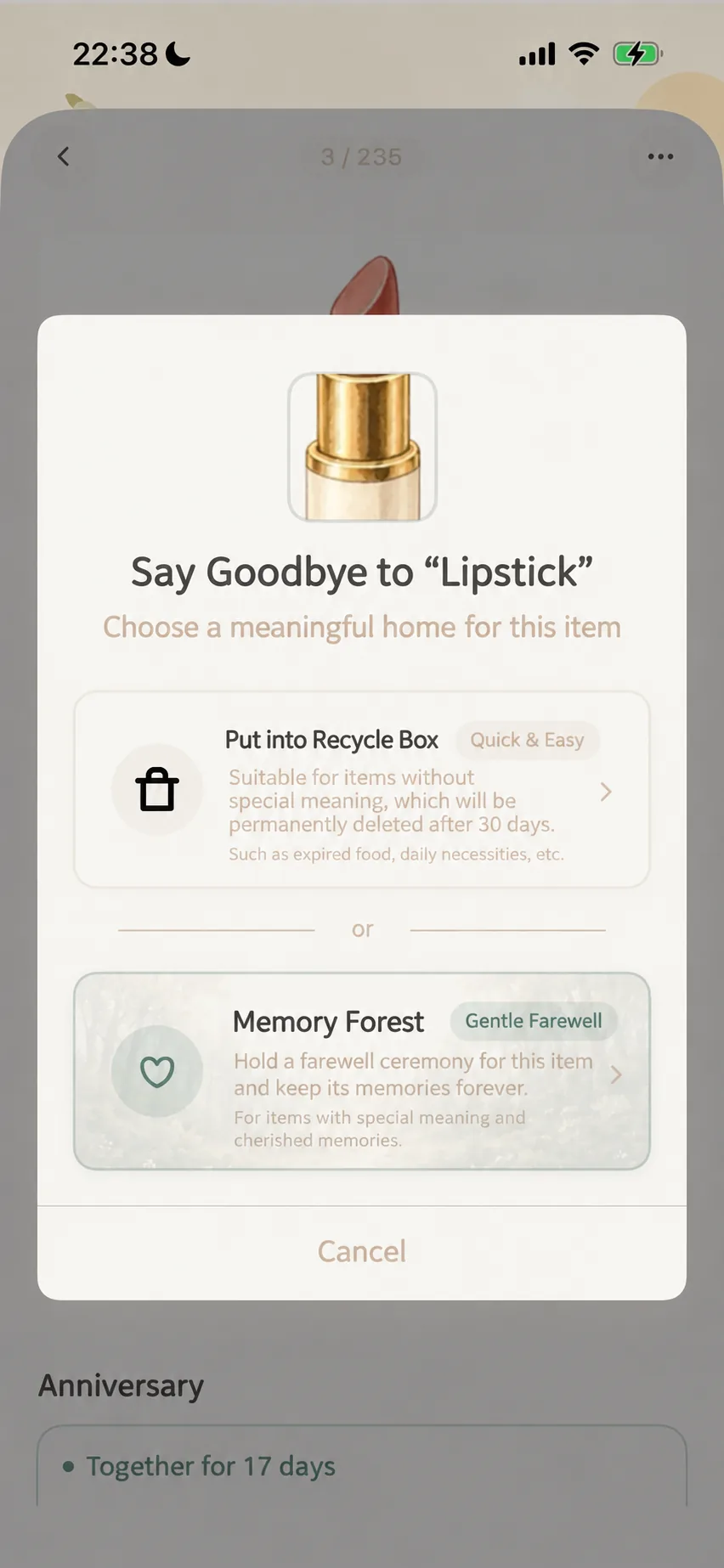
1. Move to Recycle Bin (Quick Cleanup) 🗑️
- Best For: Mistyped entries, temporary test records, expired disposable packaging, or items without emotional connection;
- Behavior: Items moved here vanish from daily woodland lists and active statistics. The app purges entries residing in the bin longer than 30 days. Prior to purging, items can be easily restored. Do not treat the Recycle Bin as a permanent archive.
2. Memory Forest (Solemn Farewell) 🕯️
- Best For: Cherished keepsakes that accompanied key milestones, memorable vintage pieces, or reliable tools that served out their lifespans;
- Behavior: Walk through a three-step ceremony to record the departure reason, timeframe, and memories. The item retires from active lists and shines peacefully in Memory Forest. Important records should also be backed up regularly; see Forest Migration & Backups.
🌸 Three Steps of the Farewell Ceremony
Farewell is not merely a data operation; it is a gentle healing ritual that dissolves attachment anxiety:
Step 1: Select the Departure Reason (How does it leave?)
Belongings leave our lives in different ways. MononoMori curates the most natural life reasons:
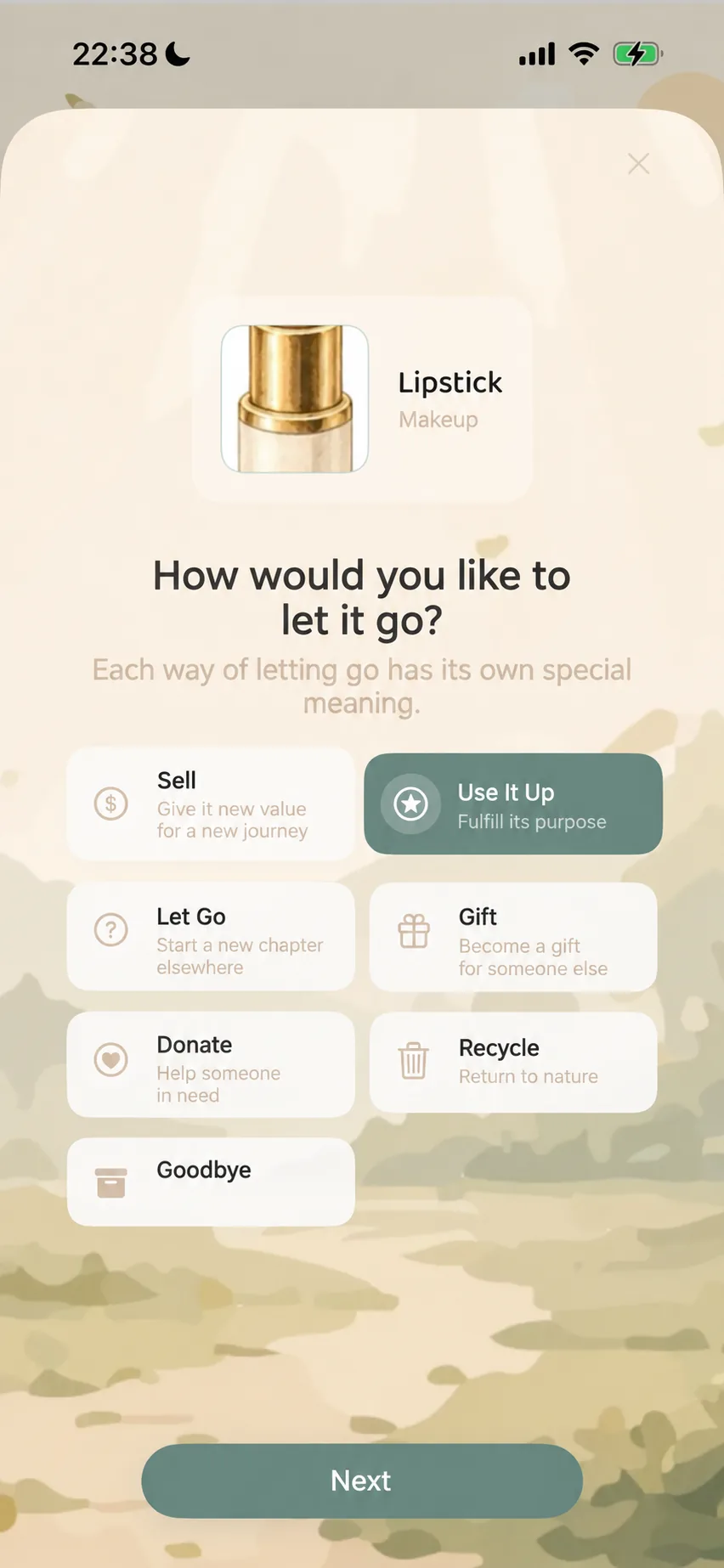
- Sold: Beginning a new journey of value — Passing along pre-loved items to bring joy to someone else;
- Worn Out: Completed its mission — Honoring steadfast service through its very last day;
- Lost: Embarqued on an unexpected journey — Accepting natural separation with equanimity;
- Gifted: Became a gift for someone special — Passing warmth along to someone who cherishes it;
- Donated: Supported those in need — Transforming goodwill into community care;
- Recycled: Returned to nature’s cycle — Embracing the organic metabolism of physical matter;
- Custom Reason: Craft your own tailored reason tags for unique personal milestones.
💡 Default Return Rules: By default, items marked as “Lost”, “Worn Out”, or “Recycled” permit re-adding back into active rotation from their memory detail view. Items marked as “Sold”, “Gifted”, or “Donated” do not show a restore option by default. Custom reasons follow their own toggle settings. Verify your reason before confirming; if an item later needs to be reinstated, check its detail card in Memory Forest.
Step 2: Record Memories & Timeline Anchors (Write its story)
Once a reason is chosen, record the story of your shared days:
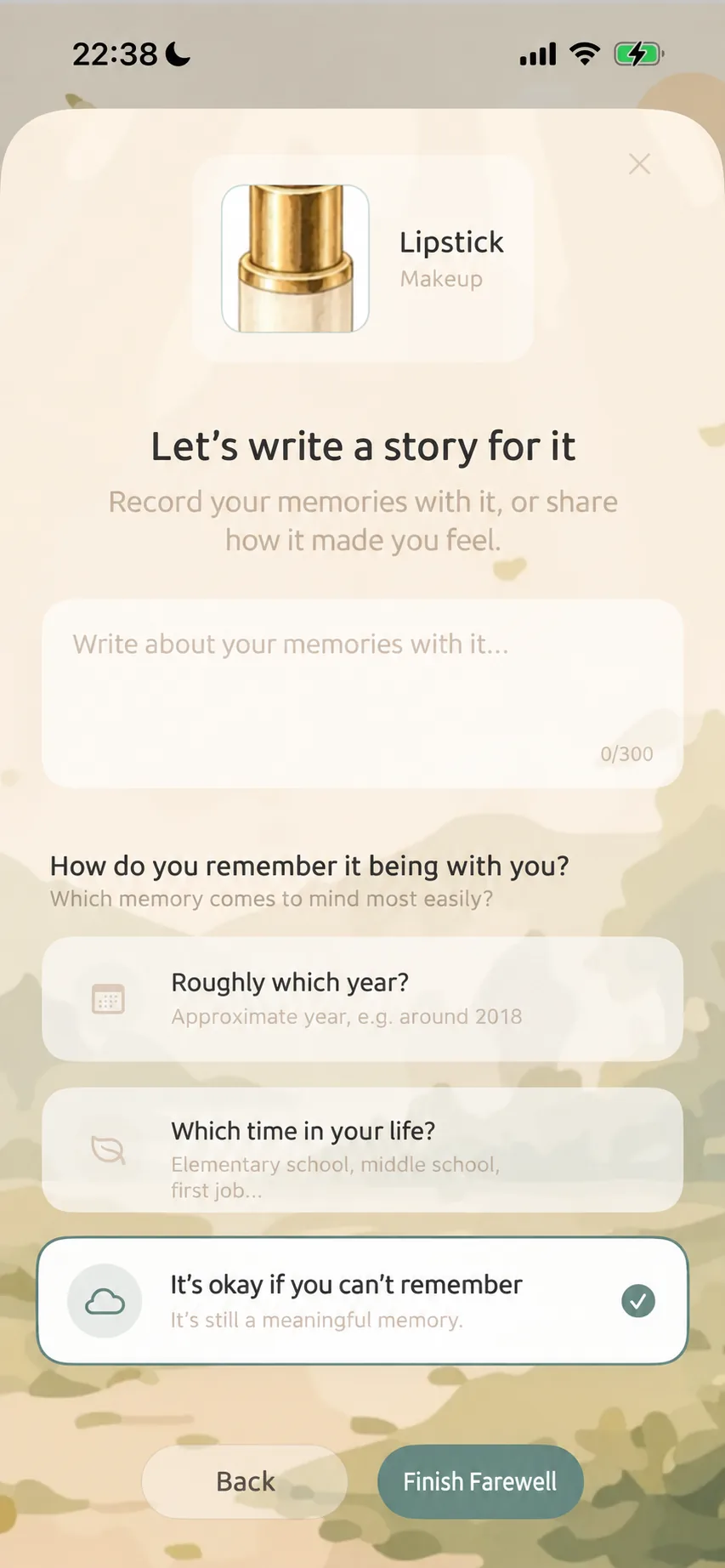
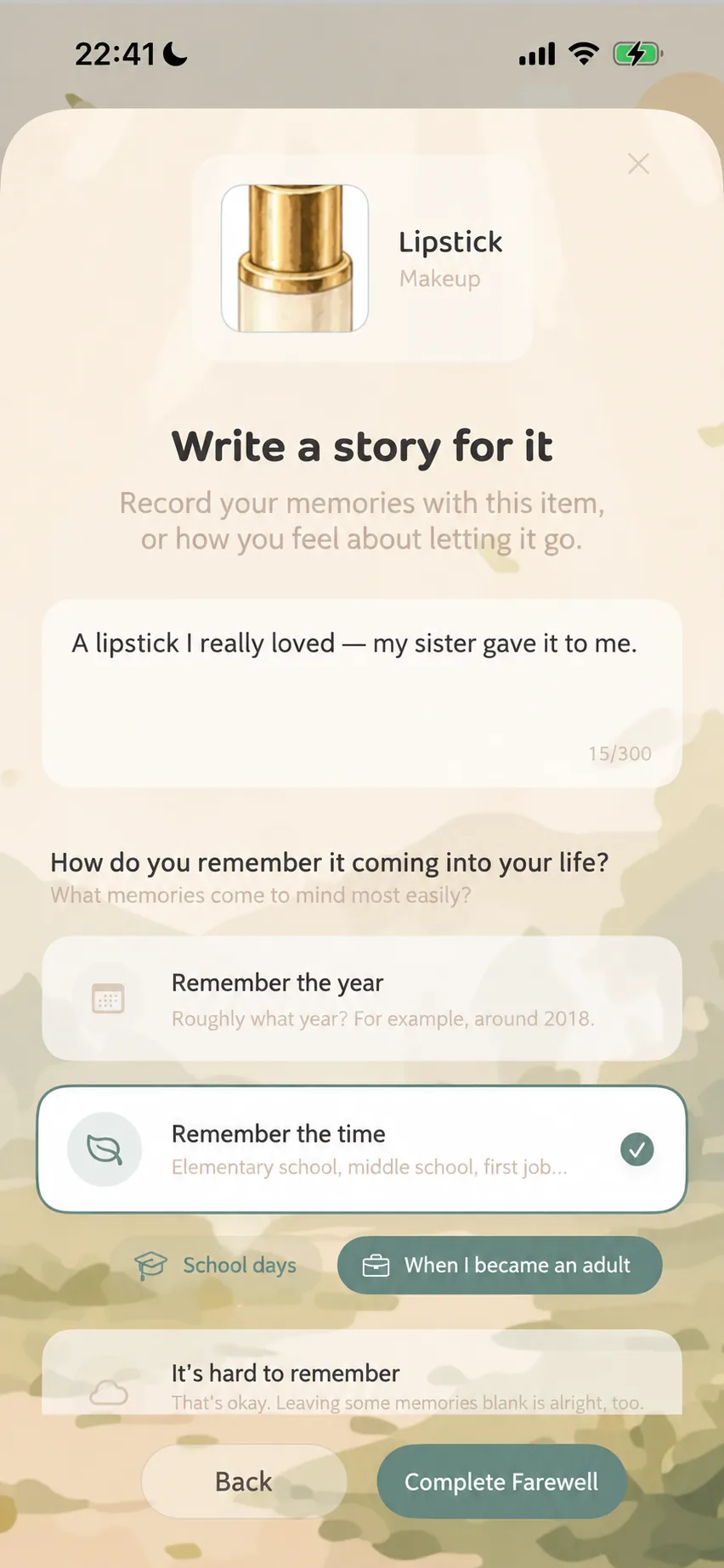
- Story Writing: In a clean stationery-styled text field, pen down a heartfelt sentence or paragraph. For example: “My favorite lipstick, gifted by my sister” or “The thermos that kept me warm during late-night college study sessions, thank you.”
- Flexible Time Anchoring: No need to dig out purchase receipts; choose from three intuitive modes:
- Approximate Year: e.g., “Around 2018”;
- Life Chapter: Select expressive life stage tags such as “Childhood”, “College Years”, or “First Job”;
- Cannot Recall (Blank space is also a memory): If details have faded, MononoMori reassures you—blank spaces are natural parts of the passing years.
Step 3: Confirm Card and Conclude the Farewell
The system compiles your farewell reason, timeline anchors, and stories into a beautifully formatted memory card:
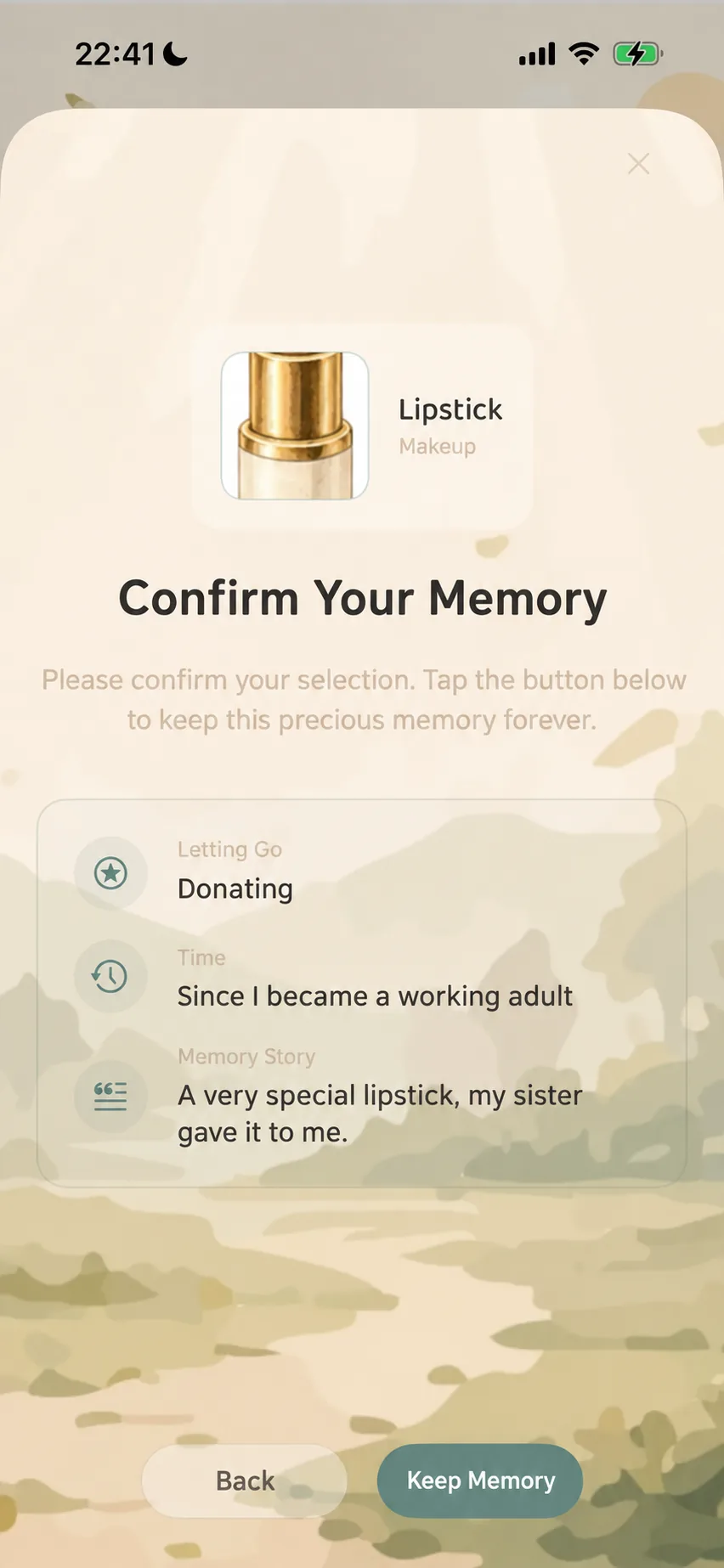
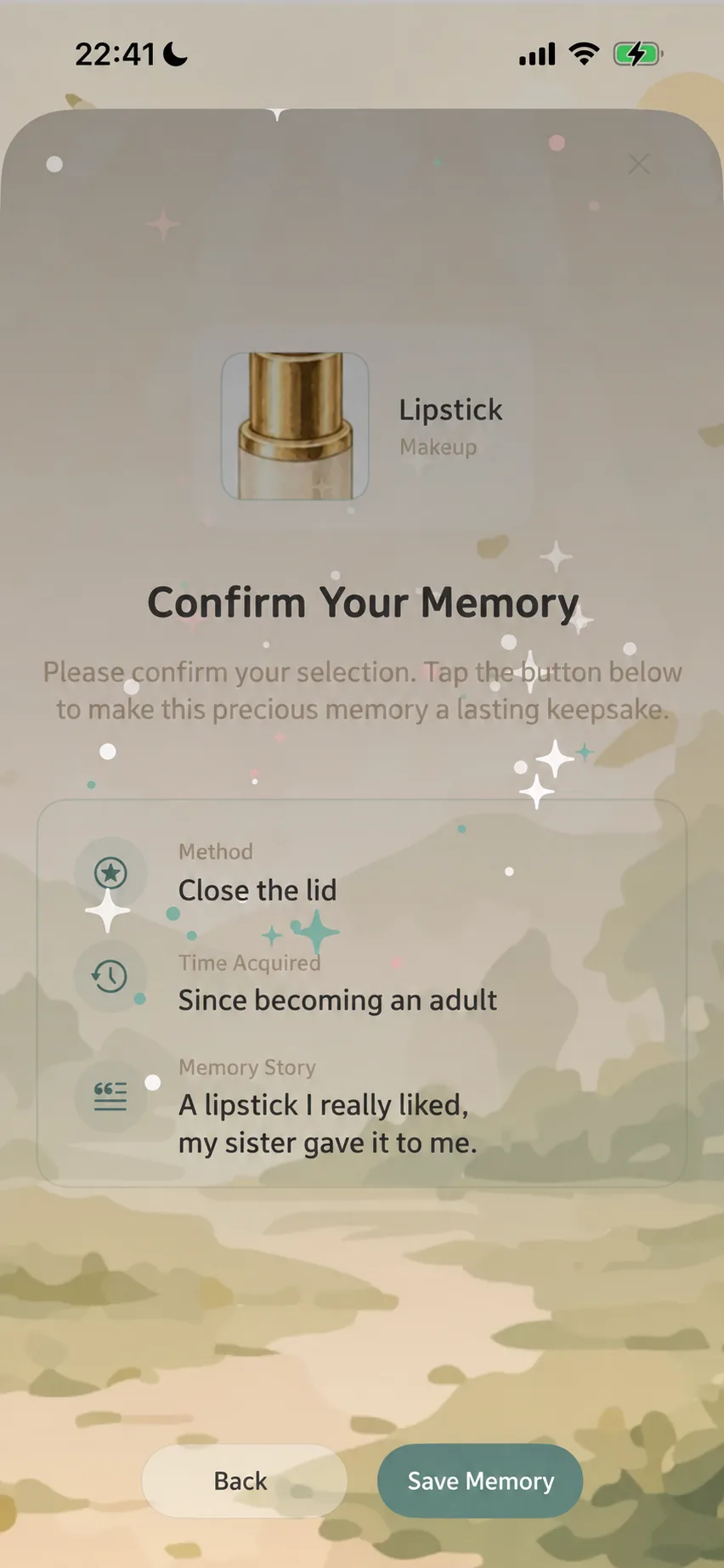
Review your story and details. Tapping “Cherish Memory” completes the ritual, lifting the item into the starry canopy of Memory Forest accompanied by a gentle stardust animation. If you need more time, you can step back and edit freely.
🌲 Next Step: Exploring Memory Forest
Where do retired items rest once the farewell concludes? How can you revisit them throughout the changing seasons?
👉 Read the Advanced Guide: Memory Forest & Moments in Time to explore seasonal timelines, encounter “Today’s Reunion”, and scroll through the continuous “Moments in Time” scroll that chronicles an item’s entire life.
❓ Frequently Asked Questions
Q1: What is the difference between “Move to Recycle Bin” and “Memory Forest”?
- Recycle Bin: Ideal for accidental entries or clutter. Records stay hidden and are permanently purged after 30 days.
- Memory Forest: Designed for cherished possessions. Retains reasons and stories, allowing you to reflect on them anytime under Memory Forest, with optional re-harvesting depending on the departure reason.
Q2: Does bidding farewell reduce my active item count?
Yes. Both Recycle Bin and Memory Forest items are deducted from your active inventory count.
Final Pre-Farewell Checklist
A farewell retires an item from your everyday active inventory. Pause a moment to verify:
- You have selected the exact item intended for farewell, not a similarly named entry;
- Item name, photo, and location clearly identify the correct object;
- The departure reason accurately reflects the situation and matches your expectations regarding restoration;
- The stories and dates represent memories you want to preserve; uncertain details can be left blank;
- After finishing, confirm that the new memory entry appears properly under Memory Forest.